Find out whether a paper can be reproduced
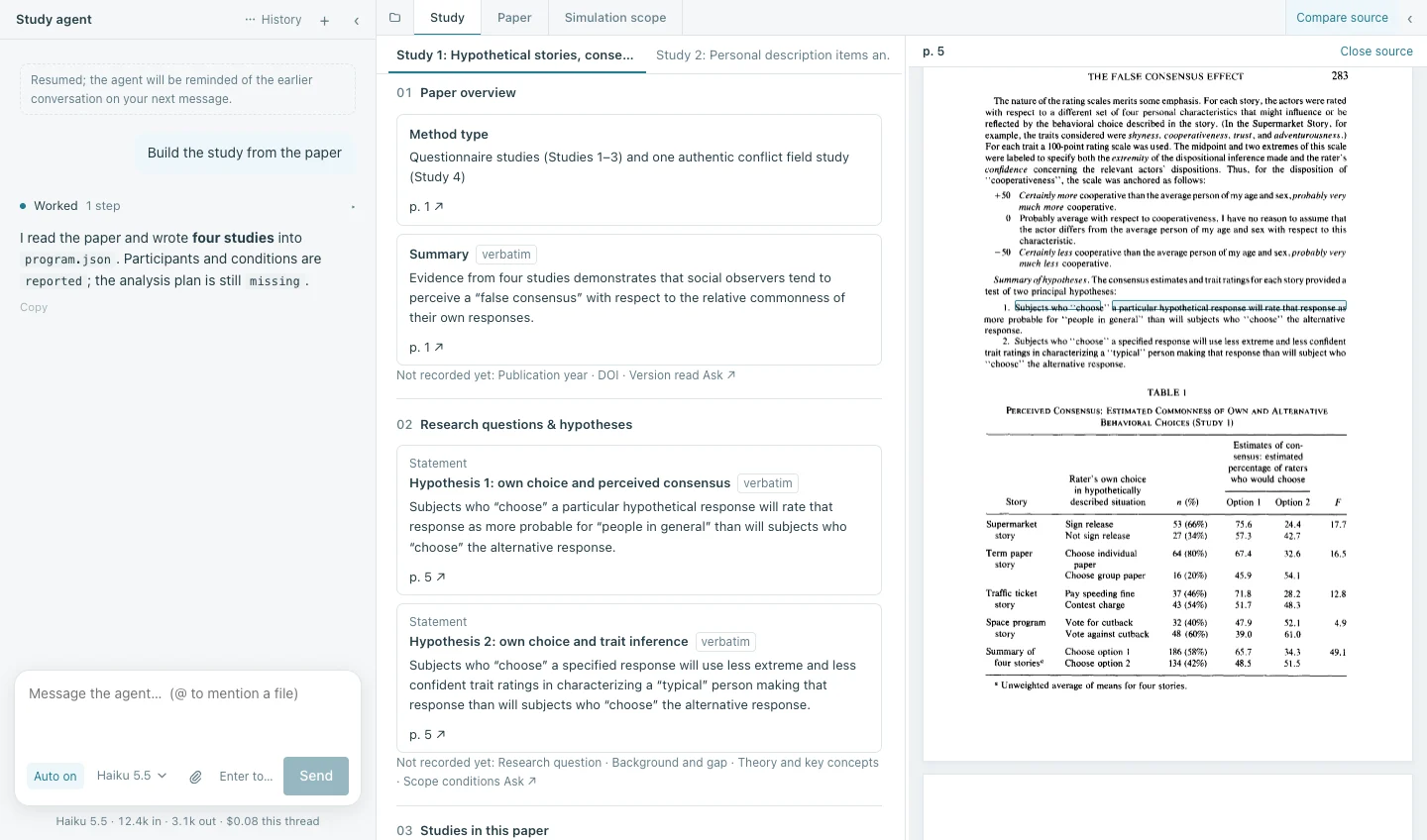
HumanStudy Hub for Mac rebuilds the study from its paper and lists what the paper does not state. Every item points back to the page of the original PDF it came from. A Windows preview is also available.
Version 0.6.11, released October 31, 2026. Release notes macOS 12 or later.
Who it is for
- Students and early PhDs reading an experimental paper
- Read the twelve-section study document and compare each item with the PDF.
- Researchers planning a replication or adaptation
- Start from verbatim materials, the procedure and the missing-information list, and ask the agent for a preregistration draft.
- Reviewers, editors and meta-scientists
- Judge reporting completeness from the amber “not stated in the paper” items, each with page citations.
- Teachers of research methods
- Show the design and results as interactive charts, and run simulated participants on simple survey or vignette studies, clearly labelled as simulation.
The study, rebuilt from the paper
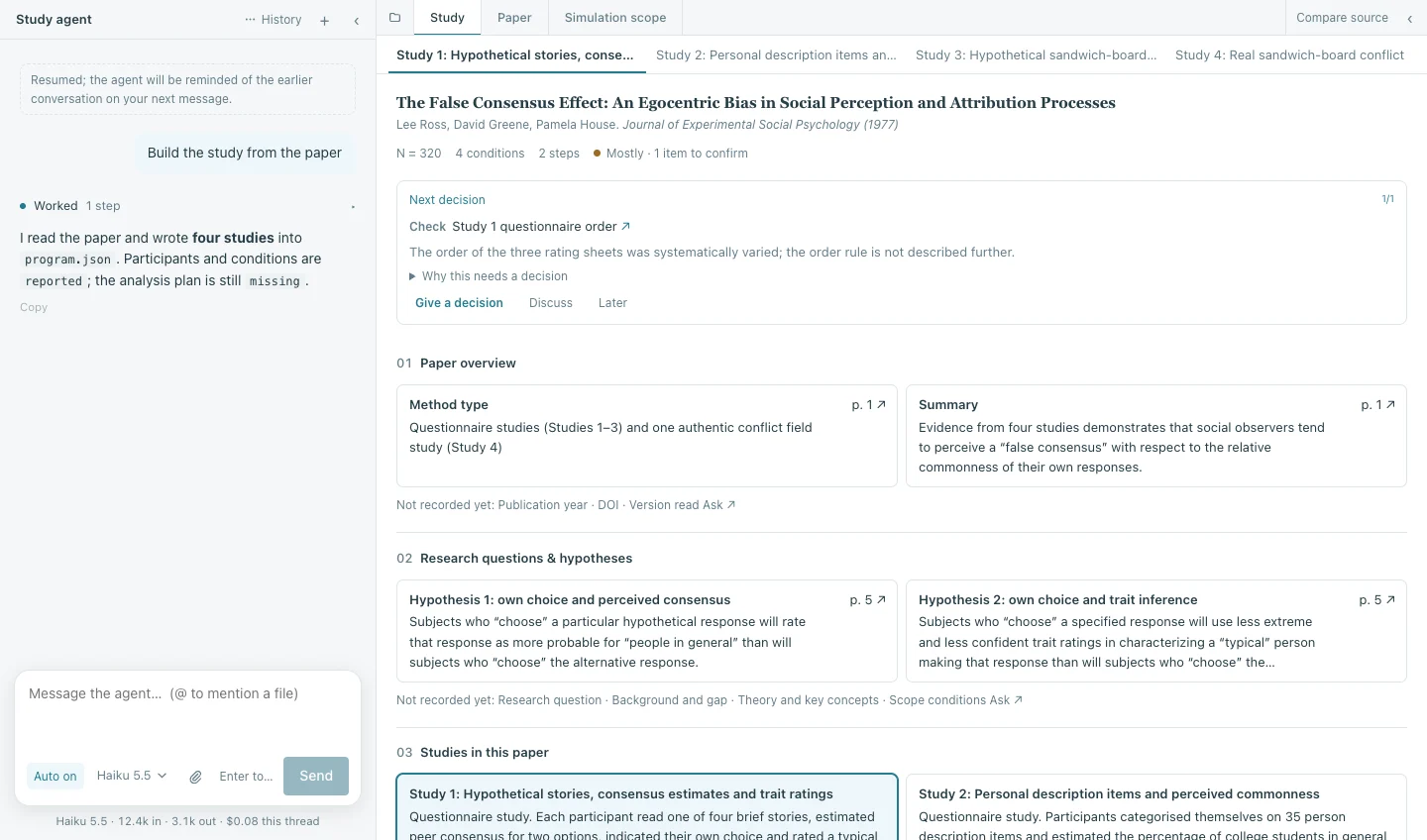
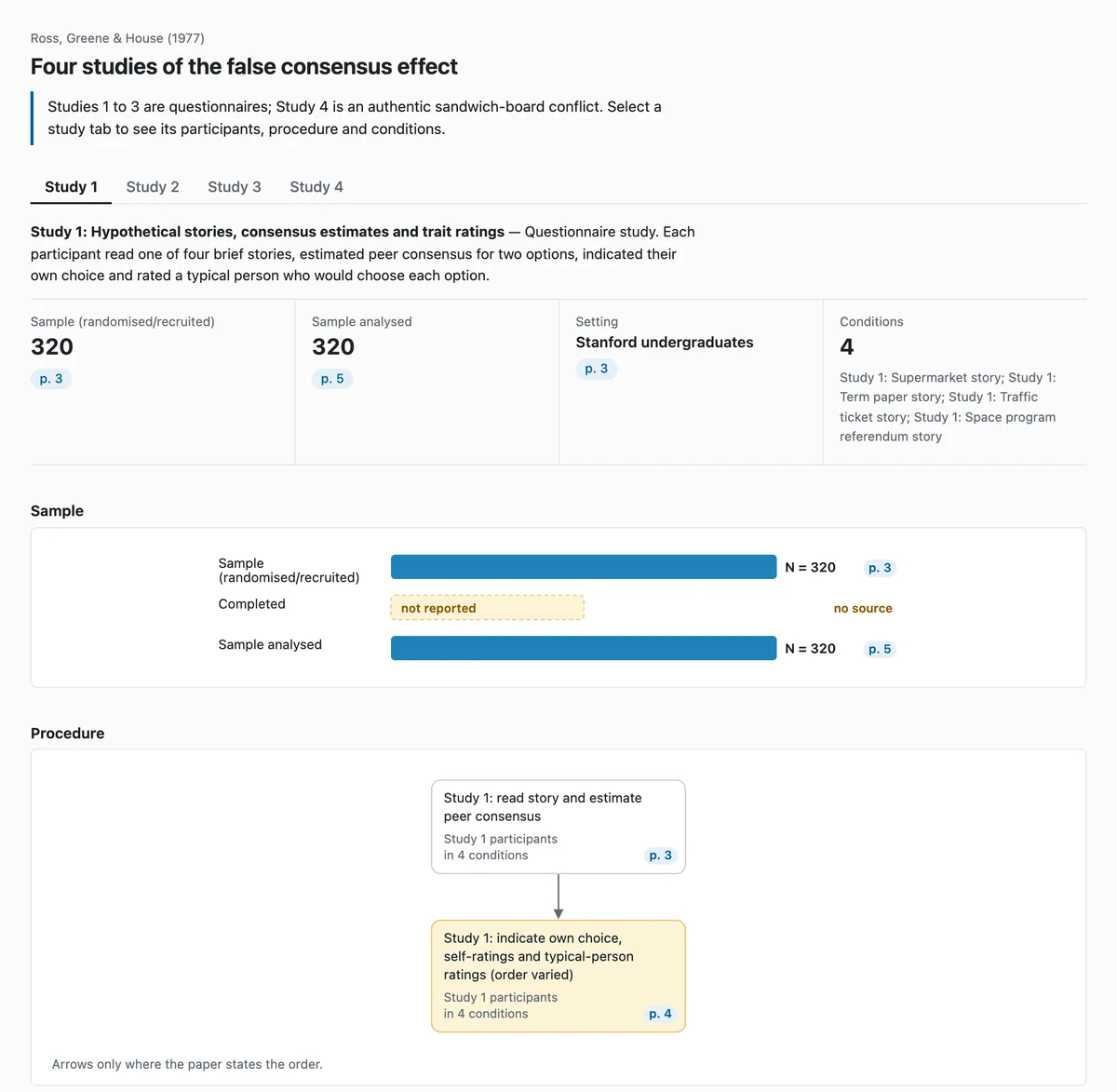
Open a PDF and the study agent writes a twelve-section study document: research questions and hypotheses, participants, design and conditions, the procedure with its materials transcribed verbatim, measures, the analysis plan and the reported results.
Each item carries the page it came from and how it was obtained: quoted verbatim, reported in the text, or derived from what the paper reports. Multi-study papers get one tab per study.
What the paper leaves out is marked, not filled in
The question the app keeps asking is whether there is enough information to reproduce the study. Anything the paper does not state is shown in amber as not stated, with the decision it leaves open.
The agent does not invent a plausible assignment rule or a missing item wording. You record the decision yourself, or discuss it with the agent and keep the reasoning next to the item.
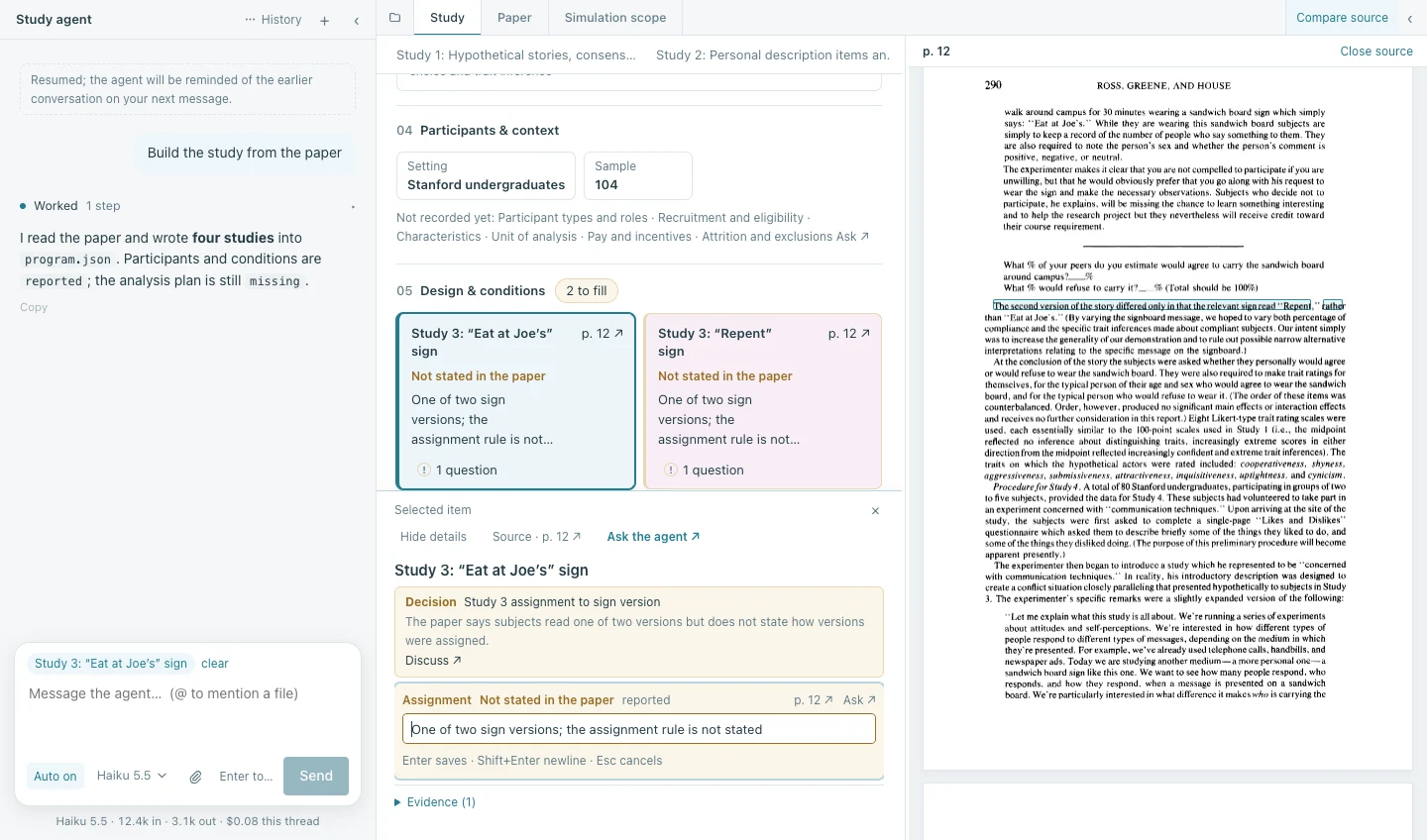
Every item next to the page it came from
Compare source opens the original PDF beside the study document. Select an item and the quoted passage is boxed on its page.
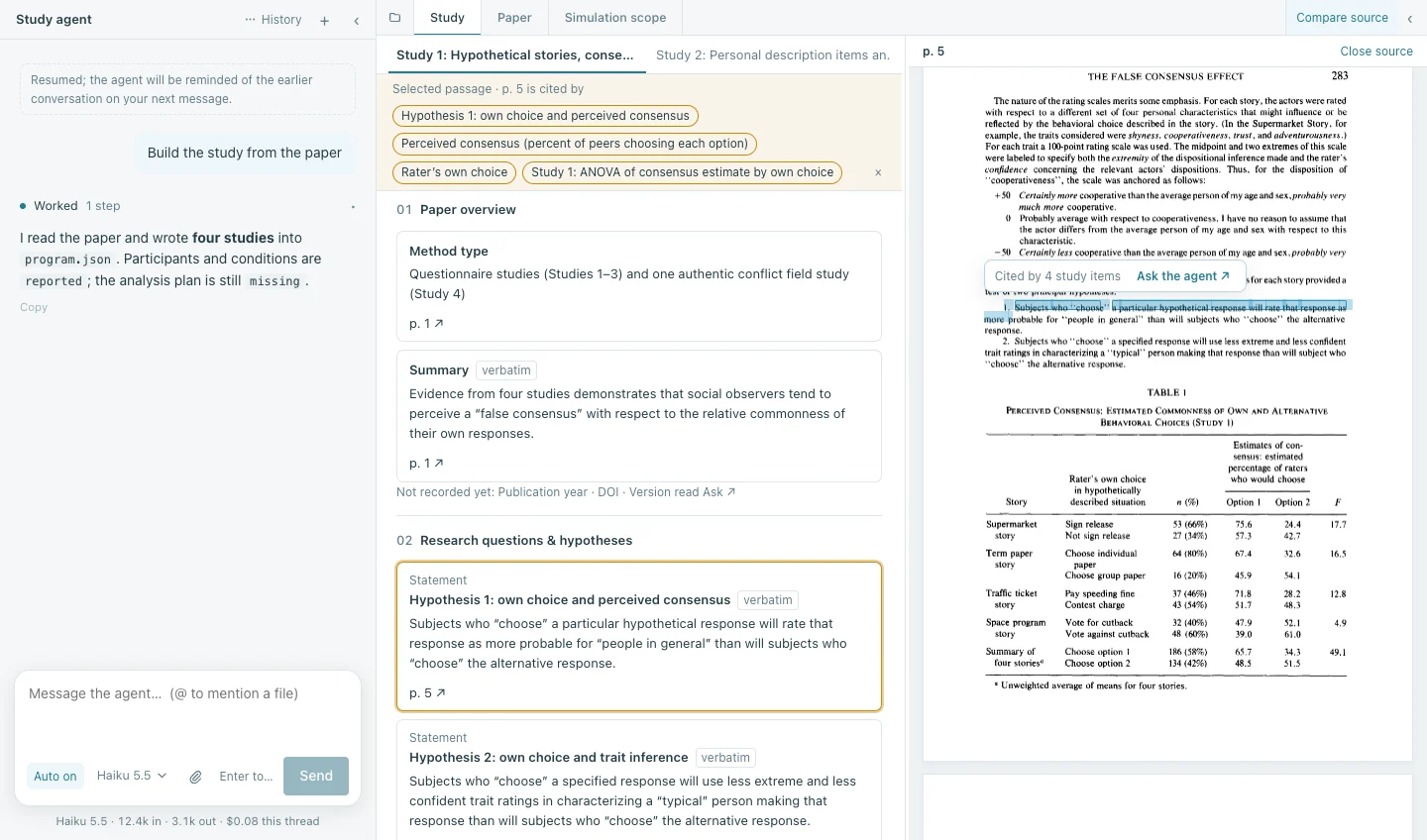
It works the other way too: select a passage in the paper and the app lists every study item that cites it, so you can check a hypothesis, a measure and an analysis against the same sentence.
Charts of the design and the reported results
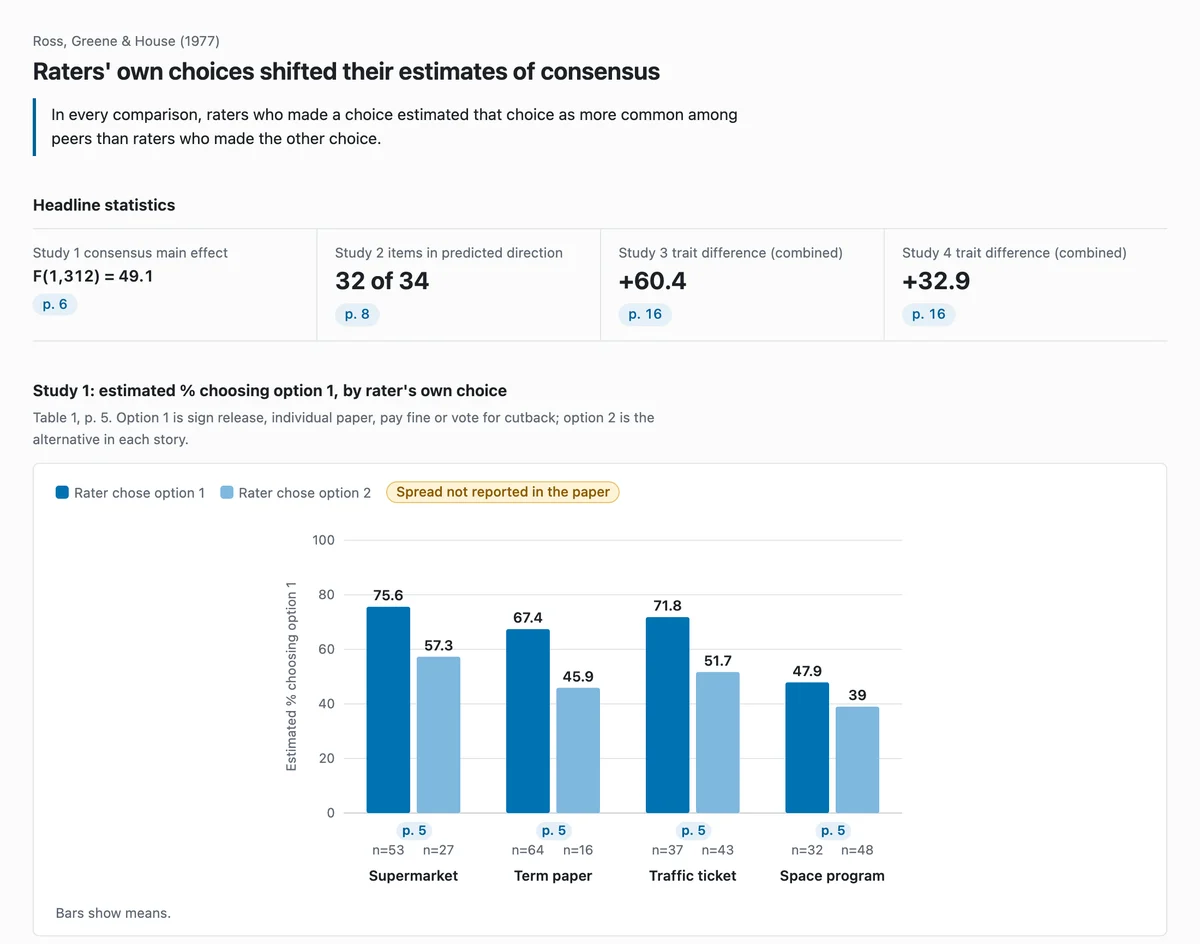
From the study document the app draws the sample flow, the procedure and the conditions, and charts the statistics the paper reports. Every value links back to its page. Spreads and counts the paper does not report are drawn as not reported rather than estimated.
Simulated participants, labelled as simulation
Once the procedure is in place you can run it with LLM-simulated participants, each going through the materials in the order the paper describes. Use it to find instructions that read ambiguously or conditions that do not differ the way the paper intends.
Simulated responses are labelled as simulation everywhere they appear and are kept apart from the paper's human results. They are not data about people.
Simulation works best for simple survey and vignette studies. Complex interactive experiments are mapped and checked against the paper, not fully simulated.
Getting access
The app is in beta by invitation. You need a HumanStudy-Hub account and an invitation code.
- 1Create a HumanStudy-Hub account and confirm your email address.
- 2Ask the team for an invitation code. Contact details are on the Partnerships page.
- 3Install the app, sign in with your account, enter the code and accept the research-data agreement.
Requirements
- System
- macOS 12 Monterey or later, on Apple Silicon or Intel. Windows 10/11 (64-bit) as a preview.
- First launch
- Downloads the study assistant, about 170 MB, once.
- Models
- Hosted. No API keys or model accounts needed.
- Sign-in
- HumanStudy-Hub account, invitation code and research-data agreement.
Questions
Who can use the app?
Do I need an API key or a model subscription?
What happens to the papers and studies I work on?
Are simulated participants a substitute for human data?
Why is there a download on first launch?
Is there a Windows version?
I started a study in the web builder. Where did it go?
Version 0.6.11, released October 31, 2026. Release notes macOS 12 or later.